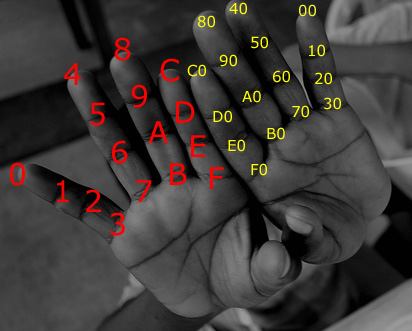
I want to share a little trick which some of you may not know for converting from Decimal to Hexadecimal as required for Computer Science GCSE and A Level. To use this trick, you will need to be able to convert from decimal to binary, which will be covered in another article.
When working with hexadecimal, it’s always a good idea to make a note of the values for the letters which represent the integers from 10-15:
A = 10, B = 11, C = 12, D = 13, E = 14, F = 15
Let’s look at an example. Say you want to convert the decimal number 168 into hexadecimal.
-
First, convert to binary using your preferred method. This gives
10101000
-
Next split the binary number into nibbles like so:
-
1010 1000 -
(If your binary number doesn’t consist of a multiple of 4 digits, add some zeros to the left-hand side to “pad” it.)
-
-
Then you convert your binary number into hexadecimal one nibble at a time:
1010in binary is10in decimal, which isAin hex.1000in binary is8in decimal, which is8in hex.
-
And there it is – you have converted a decimal number into hexadecimal!
168in decimal isA8in hex.
The method works because the range of a binary nibble is 0000 to 1111, which is exactly the same range that one hexadecimal character can represent.
Get some practice by attempting to convert the following decimal numbers to hexadecimal using the “via binary” method.
(a) 64 (b) 254 (c) 181 (d) 256(e) 99
I hope that was helpful. Look out for more articles on data representation for Computer Science GCSE and A Level in the near future.
